
Android App Setup
Join the Google Test Group to download Calendar Go for Android
Why a test group? The Android app is currently in beta testing. Once you join the group, you'll receive a link to download the app from Google Play.
Tap any screenshot to enlarge
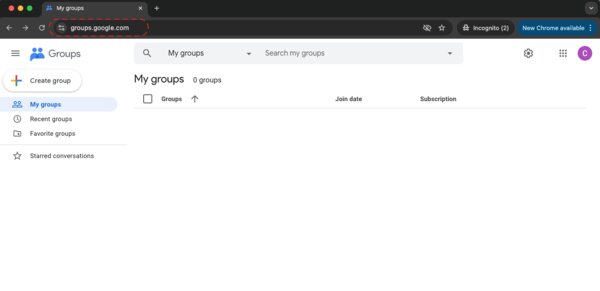
Go to Google Groups
Open your browser and go to groups.google.com
Sign in with your Google account if prompted.
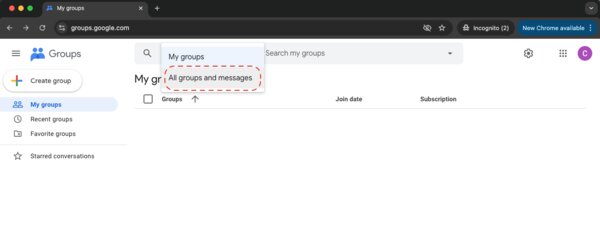
Select "All groups and messages"
Click the "My groups" dropdown and select "All groups and messages".
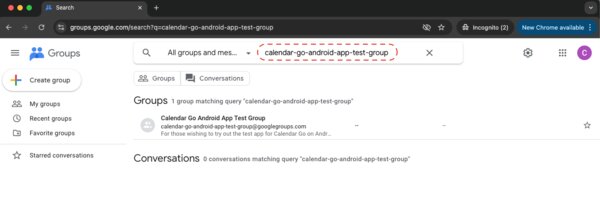
Search for the test group
In the search bar, type "calendar-go-android-app-test-group"
Or tap this direct link: groups.google.com/g/calendar-go-android-app-test-group
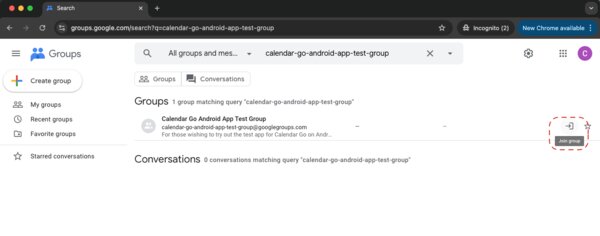
Click the Join Group icon
Look for the "Calendar Go Android App Test Group" in the results. Click the Join Group icon on the far right (looks like a door with an arrow).
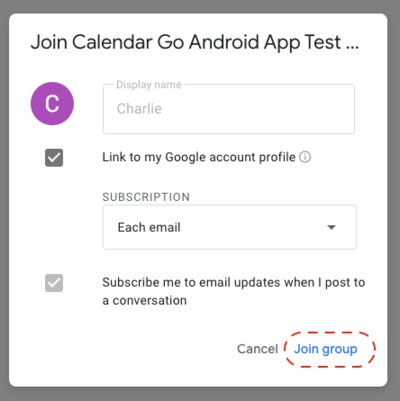
Confirm and Join
A dialog will appear. Click "Join group" to confirm.
You're in!
Once you've joined, you'll receive an email with a link to download the Calendar Go app from Google Play. Check your inbox (and spam folder) within a few minutes.
Continue with Mobile App GuideHaving trouble? Email us at support@calendargo.ai